Smart Scan

Scan the paperwork.
FieldForge files it.

Rego, licence, receipt, warranty, insurance, SDS — snap it and the AI works out what it is, reads it, fills the fields and files it against the right record. Thirteen document types. No typing.

Snap it. It knows. It files.
1
Snap the document
Camera, photo library or file upload. You don't even pick the document type — Smart Scan detects whether it's a rego, receipt, licence or SDS.
2
AI reads every field
On-device text recognition plus AI extraction pulls the exact fields for that document — plate and expiry from a rego, vendor and GST from a receipt, hazard codes from an SDS.
3
Review, tap, done
Every extraction shows up for review first — anything the AI wasn't sure about is flagged. Tap once and it files itself against the right vehicle, crew member, expense or chemical.
The glovebox paperwork,
filed and expiry-tracked.

Scan a vehicle rego and FieldForge pulls the plate, make, model, year and expiry — then creates the vehicle record or updates the one you have. Scan a driver's or applicator licence and it attaches to the right crew member with the class, state and expiry. Insurance certs land in your compliance library with the policy number and coverage read straight off the page.

  • Rego scan → vehicle record + rego expiry alert
  • Licence scan → crew member + compliance record
  • Insurance cert → policy details + expiry tracking
  • Alerts 30 days before anything lapses
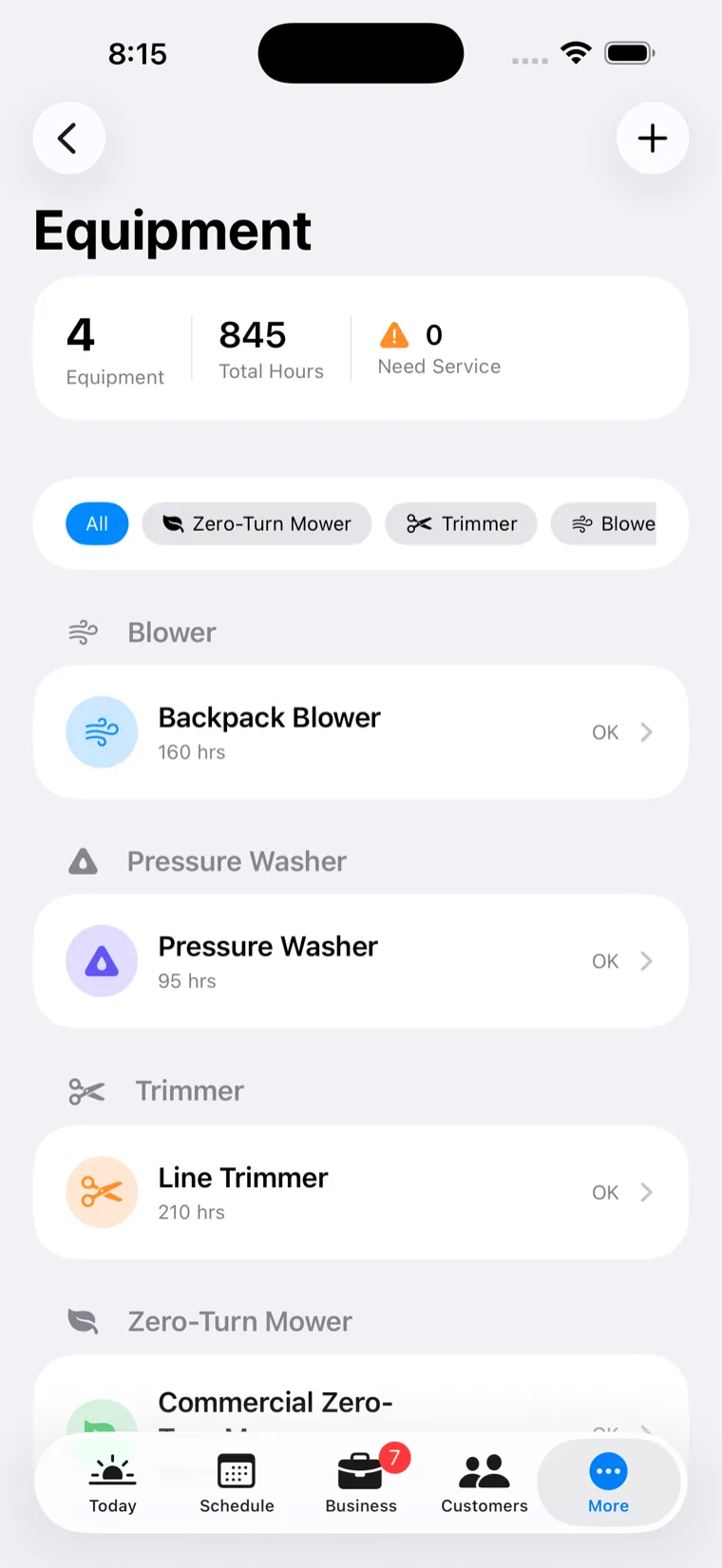
Equipment and asset register with documents and service history
Every receipt becomes
an expense — GST done.

Snap a receipt at the counter and FieldForge reads the vendor, date, total, GST component and payment method. One tap logs the expense with the receipt archived against it — ready for your BAS and kept for the tax office. Fuel receipts go one better: litres, price and odometer feed your vehicle running costs automatically.

  • Vendor, date, total & GST extracted automatically
  • Receipt archived with the expense — audit-ready
  • Fuel receipts update your vehicle's cost-per-km
  • Feeds your BAS GST summary directly
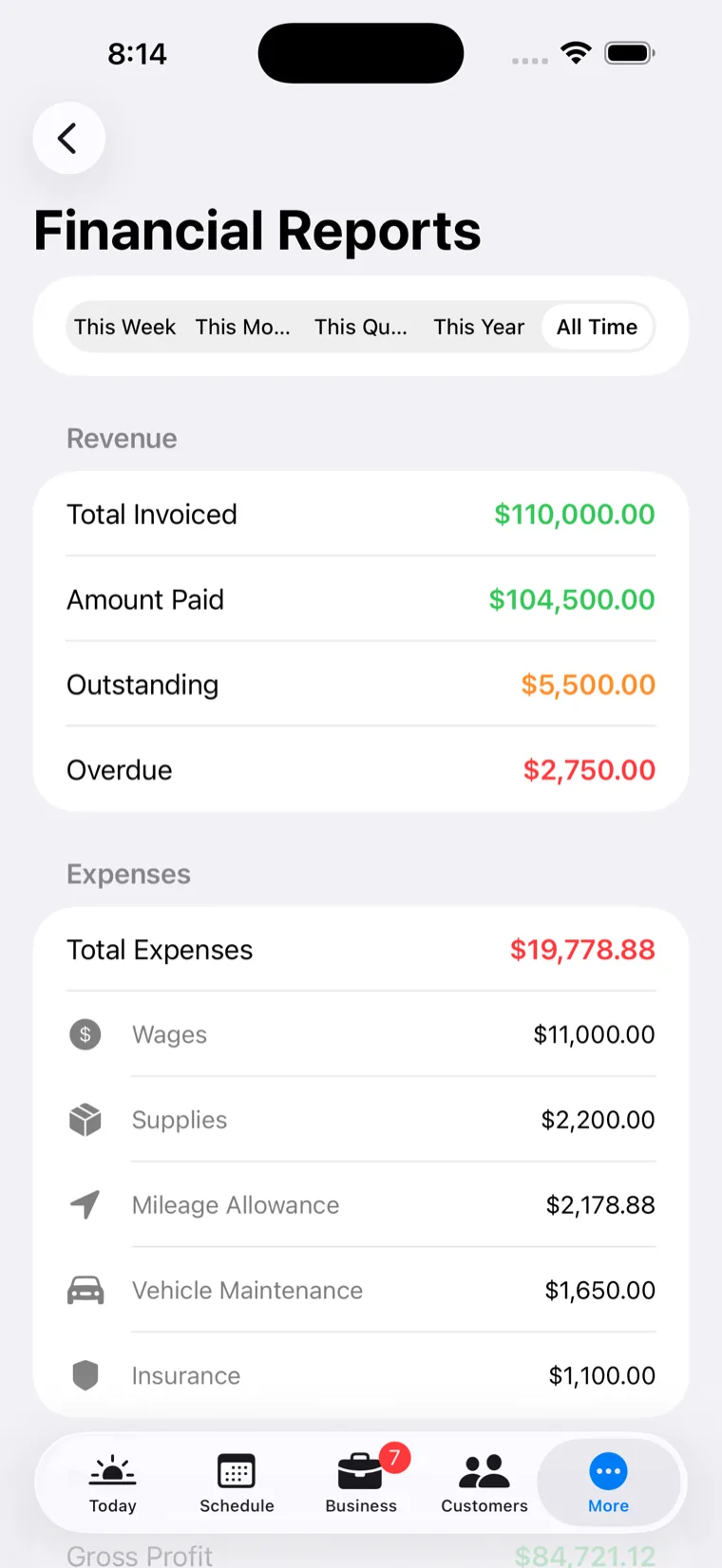
Financial reports showing expenses and GST summary
A stack of SDS sheets,
read in one session.

Multi-page document scanning reads a full safety data sheet — product name, registration number, active ingredient, GHS signal word and hazard codes, required PPE, first aid, re-entry intervals, storage and disposal. It all lands in your chemical library, linked and searchable, so the safety info is one tap away on every spray job.

  • Multi-page scan merged into one searchable PDF
  • Hazard codes, PPE & re-entry intervals extracted
  • Auto-suggests which chemical it belongs to
  • Safety info on every crew phone, on every job
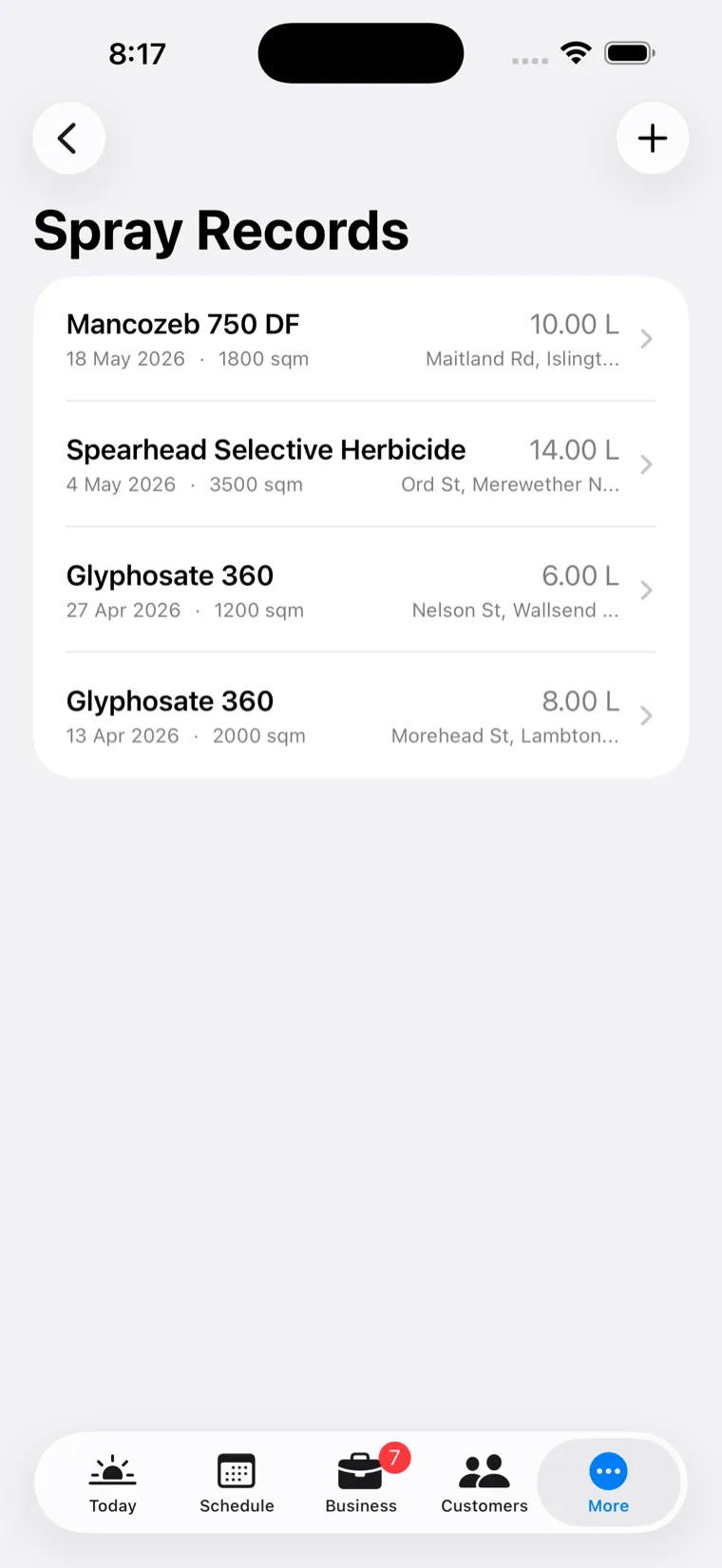
Spray records and chemical library
If it's paper in your business, it scans.
Smart Scan auto-detects the type and extracts the right fields for each one.

Vehicle registration

Plate, make, model, year, VIN and expiry — creates or updates the vehicle record.

Driver's licence

Number, class, state and expiry — attached to the crew member with lapse alerts.

Pesticide licence

Applicator licence number, category and expiry — binds to spray records for compliance.

Business insurance

Policy number, insurer, coverage and expiry — straight into your business profile.

Receipts

Vendor, date, total, GST and payment method — one tap to a logged expense.

Safety data sheets

Multi-page SDS — hazard codes, PPE, first aid and re-entry intervals into your chemical library.

Equipment warranty

Serial, model, purchase date and warranty expiry — attached to the machine with alerts.

Service records

Mechanic invoices for vehicles or gear — costs, parts and next-service dates prefill the log.

Site safety documents

Hazards, PPE and emergency contacts — merged into the property so the crew sees them first.

Pool test strips

Chlorine, pH, alkalinity and hardness read off the strip — logged with recommendations.

ABN registration

ABN, business name, entity type and GST status — pre-fills your tax settings.

Certifications & more

Training cards, competencies and anything else — filed with expiry tracking. Smart Scan detects the rest.

Nothing saves without your say-so.
Every extraction shows up for review before it touches your records. Fields the AI wasn't confident about are flagged so you know exactly what to double-check. If a scan fails, you keep the photo and it tells you why.
Smart Scan questions
13 types: vehicle regos, driver's licences, pesticide applicator licences, business insurance, ABN registrations, equipment warranties, certification cards, receipts, safety data sheets, equipment and vehicle service records, site safety documents, and pool test strips — with auto-detection so you don't have to pick.
Yes. Each document type extracts its own field set — a rego scan pulls plate, make, model, year, VIN and expiry; a receipt pulls vendor, date, total, GST and payment method — and pre-fills the matching record. You review before anything saves.
Everything scanned with an expiry date gets tracked. You'll see "expiring soon" warnings 30 days out and clear expired flags — across licences, insurance, registrations, warranties and certifications.
Every scan opens a review screen first. Fields the AI wasn't confident about are flagged orange so you know what to check, and you can edit anything before saving. Nothing writes to your records silently.
Yes. Scans attach to the record they belong to, sync across your devices and are stored in secure cloud storage — they survive a lost or replaced phone, and deleted scans are recoverable from Recently Deleted.
Ready?

Empty the glovebox into your phone.

14-day free trial with everything included. Scan your first rego in the first five minutes.

Start Free Trial

No credit card. No demo call. Two minutes and you're in.