Hands-Free

Muddy hands. No reception.
Still runs the business.

Siri from the driver's seat, compound voice commands on site, widgets on your lock screen, and offline-first everything. FieldForge is built for the parts of the day when you can't — or shouldn't — be poking at a phone.

Say it. It happens. Keep moving.
1
Say it
Gear still running, gloves still on: "I'm done, invoice it, what's next?" One sentence, spoken like you'd say it to an offsider.
2
It happens
Three actions from one sentence — the job's marked complete, the invoice is drafted, and the app reads out your next stop. No taps, no typing.
3
Keep moving
The next job is already on your lock screen widget with directions a Siri command away. Back in the ute, back on the road.
"Hey Siri, start my timer."
Phone stays in your pocket.

Six Siri shortcuts cover the moments you're least able to touch a screen. Start and stop your job timer as you step off the trailer. Complete a job as you pack up. Ask "what's my schedule" and hear it read back while you're loading the ute. Say "directions to my next job" and navigation just starts. All of it works from the lock screen, CarPlay, AirPods and Apple Watch — you don't open the app first.

  • "Start my timer" / "stop my timer" — time tracked from your pocket
  • "Complete my job" as you're packing up the trailer
  • "What's my schedule" — spoken back to you
  • "Directions to my next job" — straight into navigation
  • Lock screen, CarPlay, AirPods & Apple Watch
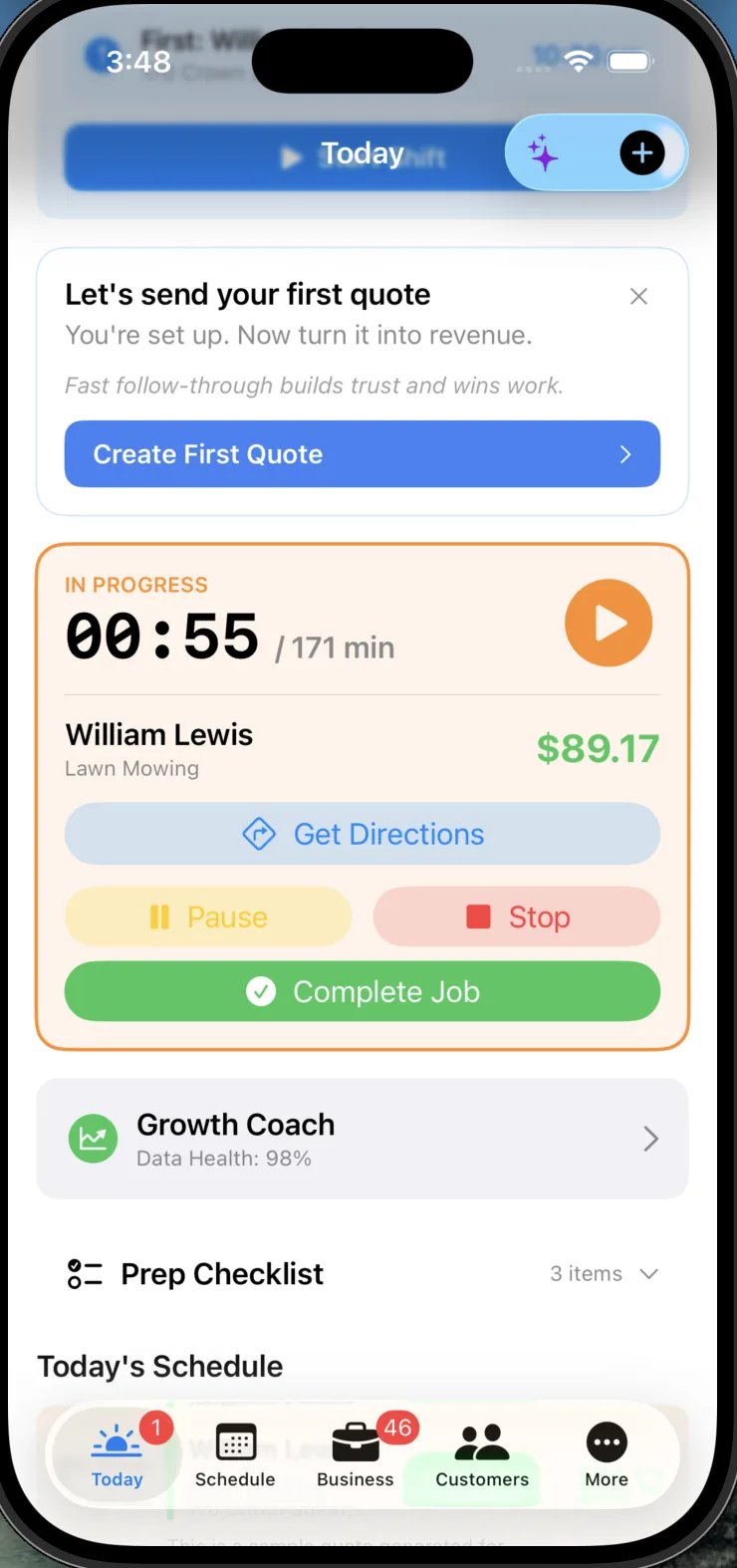
Live job timer running on a job
One sentence.
Three things done.

On-site voice isn't one-command-at-a-time. Say "I'm done, invoice it, what's next?" and FieldForge completes the job, drafts the invoice and reads out your next stop — three actions from one breath. You can quote by voice too: "quote 200 square metres, complex" and the numbers land in a draft. And hands-free mode doesn't fall over when life happens — it survives phone calls and app switching and picks the conversation back up.

  • "I'm done, invoice it, what's next?" = complete + invoice + next stop
  • Voice quoting: "quote 200 square metres, complex"
  • Survives phone calls and app switching mid-session
  • Built for Australian accents — "quote" never becomes "quite"
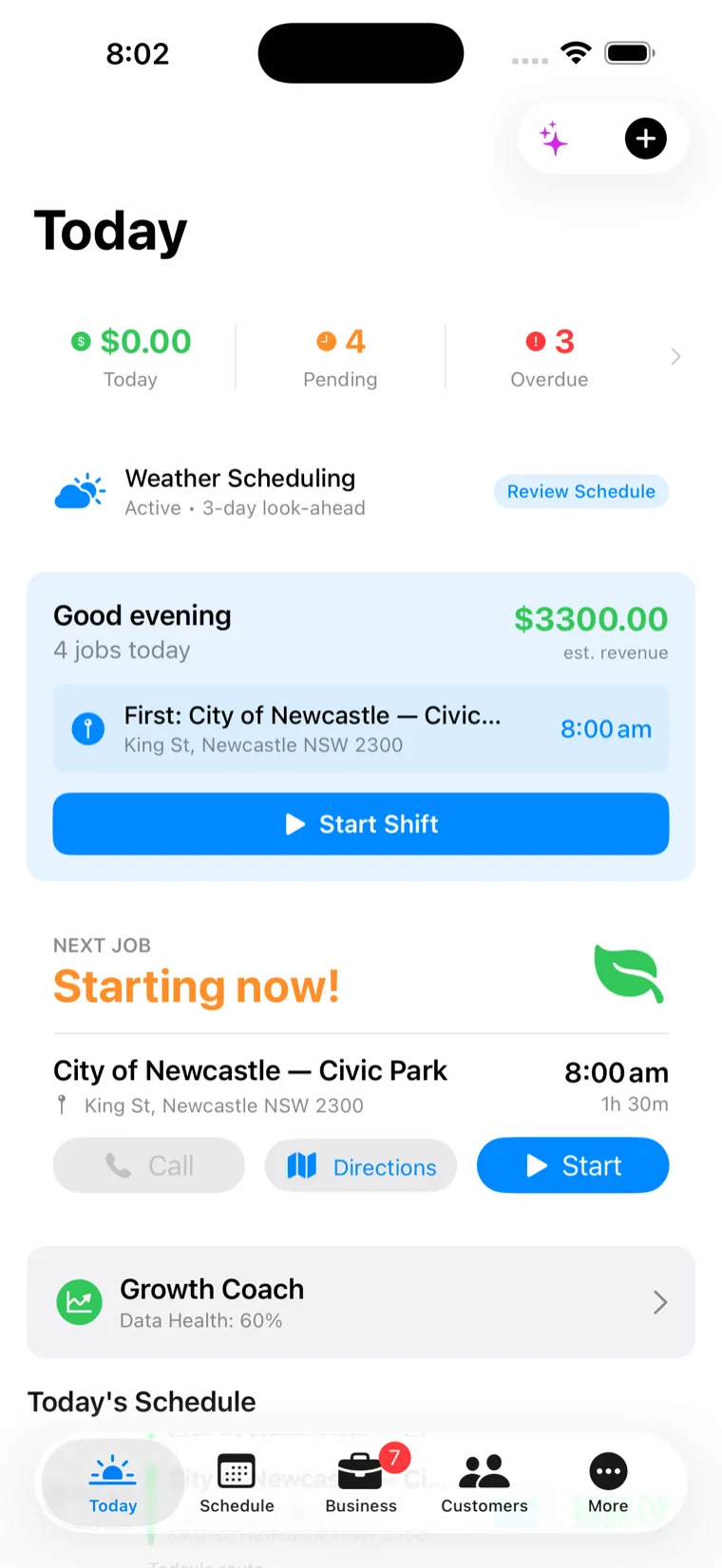
Today screen showing the day's jobs and progress
Your day on the home screen.
Before you unlock anything.

Home-screen widgets show today's jobs and revenue at a glance — the medium widget adds your next job and badges for pending and overdue invoices. Departure reminders do the travel-time maths and tell you when to leave so you're not the bloke who's always twenty minutes late. And your customers stay in the loop without you lifting a finger: automatic "on the way" and "job complete" texts go out as the day actually happens.

  • Widgets: today's jobs, revenue, next job, overdue invoice badges
  • Departure reminders based on real travel time
  • Automatic "on the way" & "job complete" texts to customers
  • Delivery log — see each text actually arrived
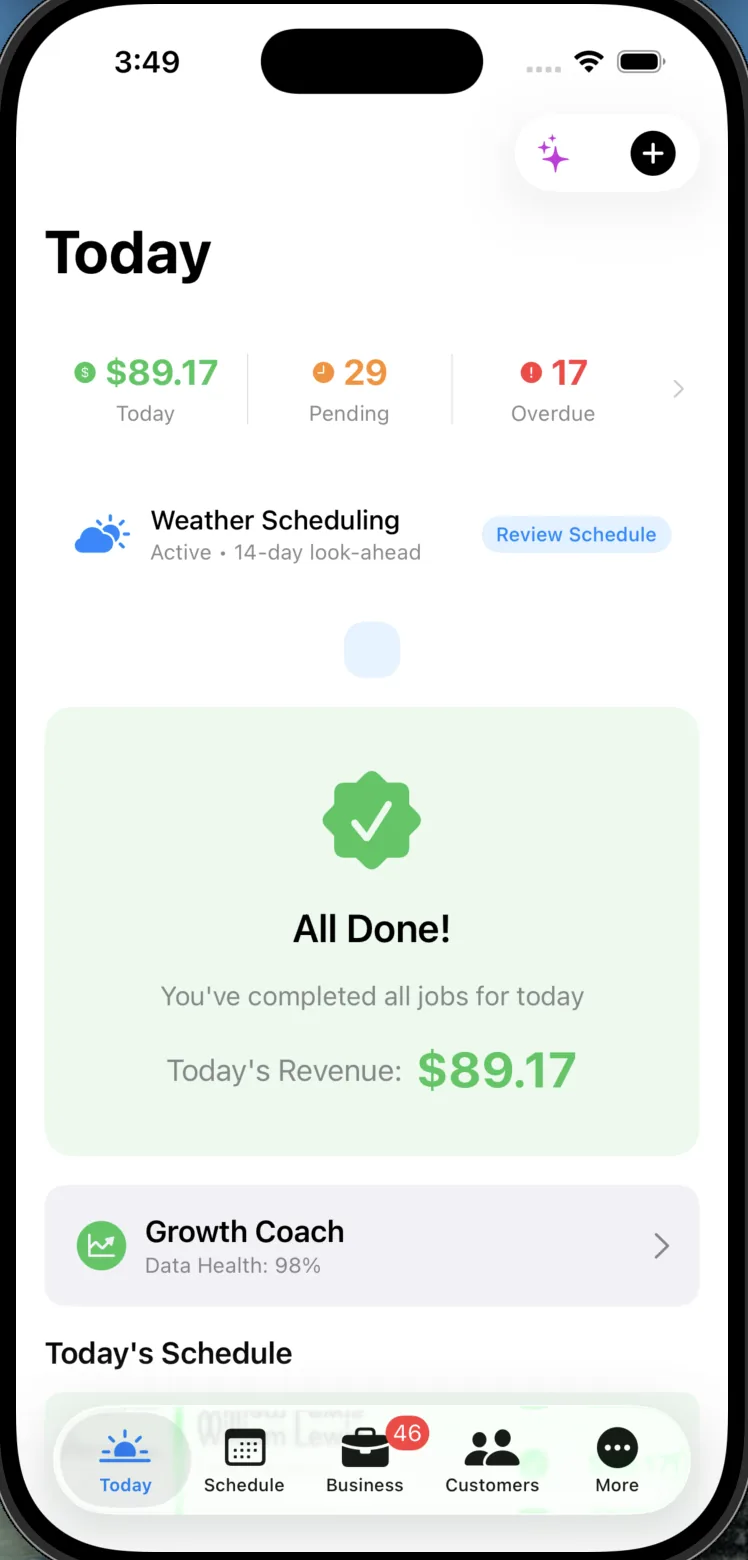
End of day view with jobs completed and revenue earned
No bars on the property?
Doesn't matter.

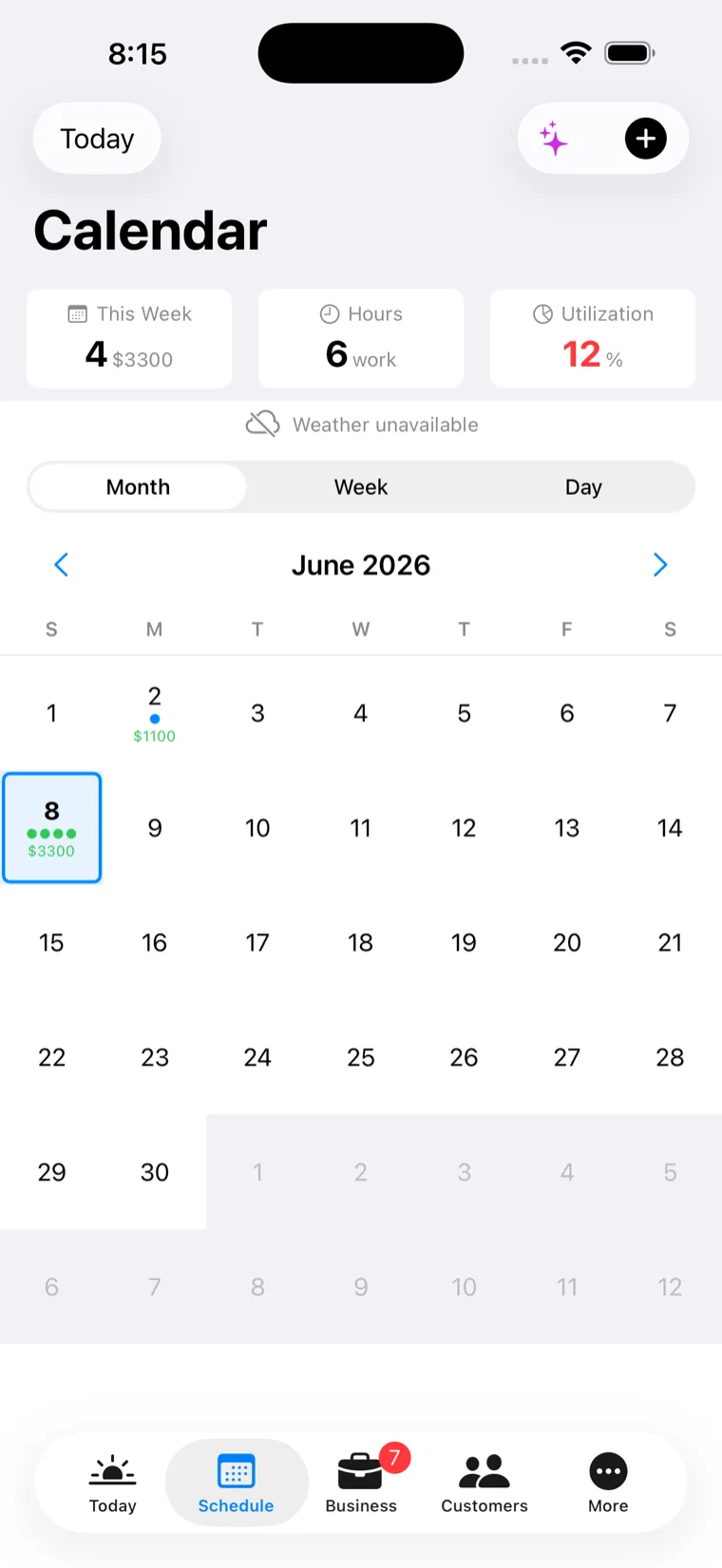
Everything saves on your phone first — quotes, jobs, photos, timesheets — then syncs itself when you're back in range. You never wait on a spinner in a dead spot, and you never lose work to one. If the app crashes mid-run, reopening it asks "Resume run?" and picks up exactly where you were. And a lost phone doesn't mean a lost business: sign in on a new device and your data restores.

  • Quotes, jobs, photos & timesheets save locally first
  • Syncs automatically when you're back in range
  • "Resume run?" — a crash never eats the day
  • Lost phone? Sign in on a new device and it restores
Schedule view of the day's jobs, available offline
Small things that add up to a smoother day.
The app keeps thinking about the run so you don't have to.

Route optimisation

Orders the day's jobs into the shortest run — and shows the fuel cost of the route, not just the kilometres.

Weather reschedule

Rain coming on mow day? It suggests a reshuffle — and only suggests. Your calendar never moves without you.

End-of-day wrap-up

"4 jobs done, ~$1,200 earned." A proper knock-off summary of jobs, revenue and kilometres — the day in one card.

End-shift checks

Clocking off with an unfinished job or an unsent invoice? The end-shift check flags it before you drive home.

Nudges that learn

Morning brief, overdue chase, quote follow-up — and it watches what you act on. Ignore a nudge three times and it stops sending it.

Live job timer

A running timer on every job, with pause for smoko — real on-site time, tracked without babysitting a stopwatch.

Voice works while the app's open. Siri works from anywhere.
FieldForge isn't listening in the background — hands-free voice runs while the app is in the foreground, and it holds on through phone calls and app switches. For everything else there's Siri: shortcuts fire from the lock screen, CarPlay, AirPods and your Watch without opening the app at all.
Hands-free questions
Six shortcuts out of the box: start my timer, stop my timer, complete my job, what's my schedule (read back to you), new quote, and directions to my next job. They work from the lock screen, CarPlay, AirPods and Apple Watch — no need to open the app first.
Yes — it's built for it. The voice engine even corrects the classic AU mishears, like "quote" coming through as "quite". Compound commands like "I'm done, invoice it, what's next?" are parsed as three separate actions and all three happen.
The core of the app: quotes, jobs, customers, photos, timesheets and job completion all save to your phone first and sync automatically when you're back in range. Anything that needs the outside world — AI analysis, customer SMS and payments — needs signal, and the app is honest about that rather than pretending.
You don't lose the day. When you reopen the app it asks "Resume run?" and picks up exactly where you were — with your jobs matched back up, your times intact and your progress preserved. And because everything saves locally first, a lost or broken phone doesn't mean lost data: sign in on a new device and it restores.
Yes. When you head to a job, FieldForge can text the customer "on the way", and when you complete it, "job complete" — automatically, with a delivery log so you can see each message actually arrived. You control whether it's on, and it never sends without a real job event behind it.
Ready?

Run the day without touching the screen.

14-day free trial with everything included. Set up your first Siri shortcut in the first five minutes.

Start Free Trial

No credit card. No demo call. Two minutes and you're in.